ifm VSE
Introduction
The ifm VSE protocol can be used to acquire data from vibration diagnostics devices from IFM.
Creating an ifm VSE data source
To create an ifm VSE data source, select IFM VSE from the protocol dropdown. You must also name your data source and enter a connection string.
Ifm VSE Connection String Structure: Device IP Address:Port Example Connection String: 192.168.0.240:502 Note: Adding a Port is optional.

Creating a Modbus data point
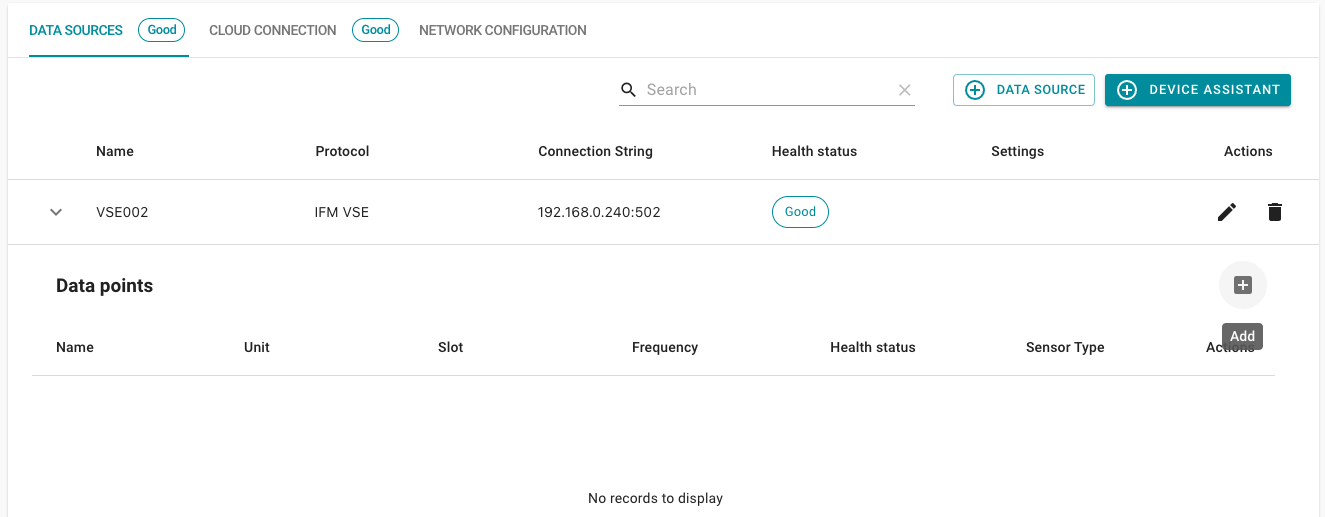
Expand the detail view of your created data source and click on the Add (+) button on the right.
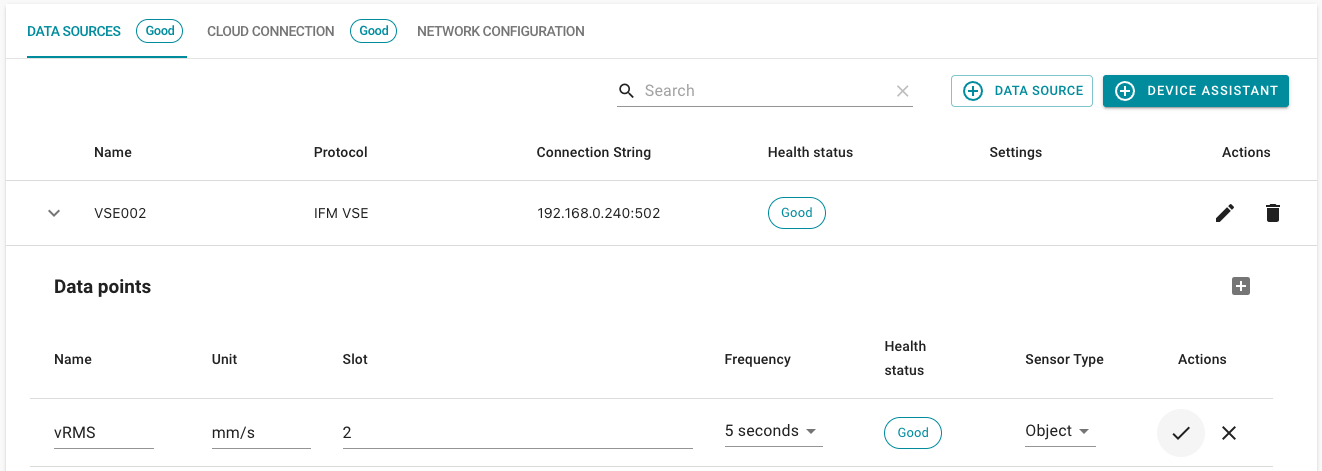
Now enter the information specific to your data point:
- Name: Is used as name when reading out a data point (template access: datasource.name).
- Unit: Is used as a unit when reading out a data point (template access: datasource.unit). (Example:
mm/s) - Slot: The slot can then be found in your VES project under Parameters -> Objects -> Overview in the table (column: ID). This must be entered in VL without the leading 0. (Example:
2) A maximum of 24 objects can be configured in the VSE project, therefore only values from 1 to 24 can be entered in the slot column. - Frequency: Interval at which the datapoint should be sent to a cloud connection.
- Sensor type: Currently only Object can be selected.
Click on save (✓) to add the data point.